The good news? Town-based community boards that let you run visual ads for under five dollars a month do exist, and they can be incredibly effective for reaching nearby customers. In this comprehensive guide, we'll explore everything you need to know about ultra-low-cost local advertising, from digital bulletin boards to traditional community posting spots, and show you exactly how to maximize your visibility without maxing out your budget.
Why Traditional Online Advertising Is Too Expensive for Most Local Businesses
Before we dive into affordable alternatives, it's worth understanding why so many small businesses struggle with mainstream advertising platforms. The numbers tell a sobering story:
- Facebook and Instagram Ads: Most local businesses need to spend $150-$600 per month to see meaningful results, with typical cost-per-click ranging from $0.50 to $3.00
- Google Ads: Local campaigns often require $50-$500 monthly, with highly competitive industries like legal services seeing clicks cost $30-$80 each
- Yelp Advertising: Monthly costs typically range from $300-$1,000 for local businesses
- Nextdoor Ads: Local targeting runs approximately $100-$200 per month
For a small coffee shop, independent plumber, or local salon operating on tight margins, these costs are often prohibitively high—especially when you're just starting out or testing a new market. That's where ultra-affordable community boards come in.
Digital Community Bulletin Boards: The Modern Solution Under $5
The digital evolution of the classic community bulletin board has created exciting new opportunities for budget-conscious local advertisers. These platforms combine the hyper-local targeting of traditional cork boards with the reach and permanence of online marketing.
How Digital Town Boards Work
Digital community bulletin boards operate on a town-by-town basis, creating dedicated spaces where local businesses and residents can post visual content targeted specifically to their geographic area. Unlike social media ads that disappear when your budget runs out, these boards keep your ad visible for the entire period you've paid for—typically 30 days.
The process is remarkably simple:
- Find your town's board by searching your city or ZIP code
- Select an open spot on the visual grid (often presented as a 10x10 board of squares)
- Upload your visual content—a photo, logo, or promotional flyer
- Pay a small monthly fee to keep your spot active (as low as $1 per square)
The LocalSquare Advantage
LocalSquare has pioneered this model with town-based digital bulletin boards across America. Each board is organized as a 10x10 grid where local businesses can "pin" visual ads for just $1 per square per month. This means you can maintain a visible presence in your community for anywhere from $1 to $12 per month depending on the size of your ad—a fraction of what you'd pay on traditional advertising platforms.
What makes LocalSquare particularly valuable for budget-conscious advertisers is that every pin creates a dedicated webpage that's indexed by Google and optimized to appear in AI search results from platforms like ChatGPT, Claude, and Perplexity. This means your $1-$5 monthly investment isn't just buying a spot on a board—it's creating a discoverable web presence that can drive organic traffic long-term.
The platform offers flexible options including:
- Variable ad sizes from 1x1 squares up to multi-square layouts (2x2, 2x3, 3x3) for greater visibility
- Auto-renew subscriptions to maintain your spot month-to-month with no hassle
- Multi-town posting if you serve multiple communities or ZIP codes
- Edit capabilities so you can update your image, title, link, or description anytime
For local businesses like restaurants promoting daily specials, real estate agents targeting specific neighborhoods, home service providers (electricians, plumbers, contractors), or community organizations, this represents an always-on marketing channel that costs less than a cup of coffee.
Free and Low-Cost Physical Community Bulletin Boards
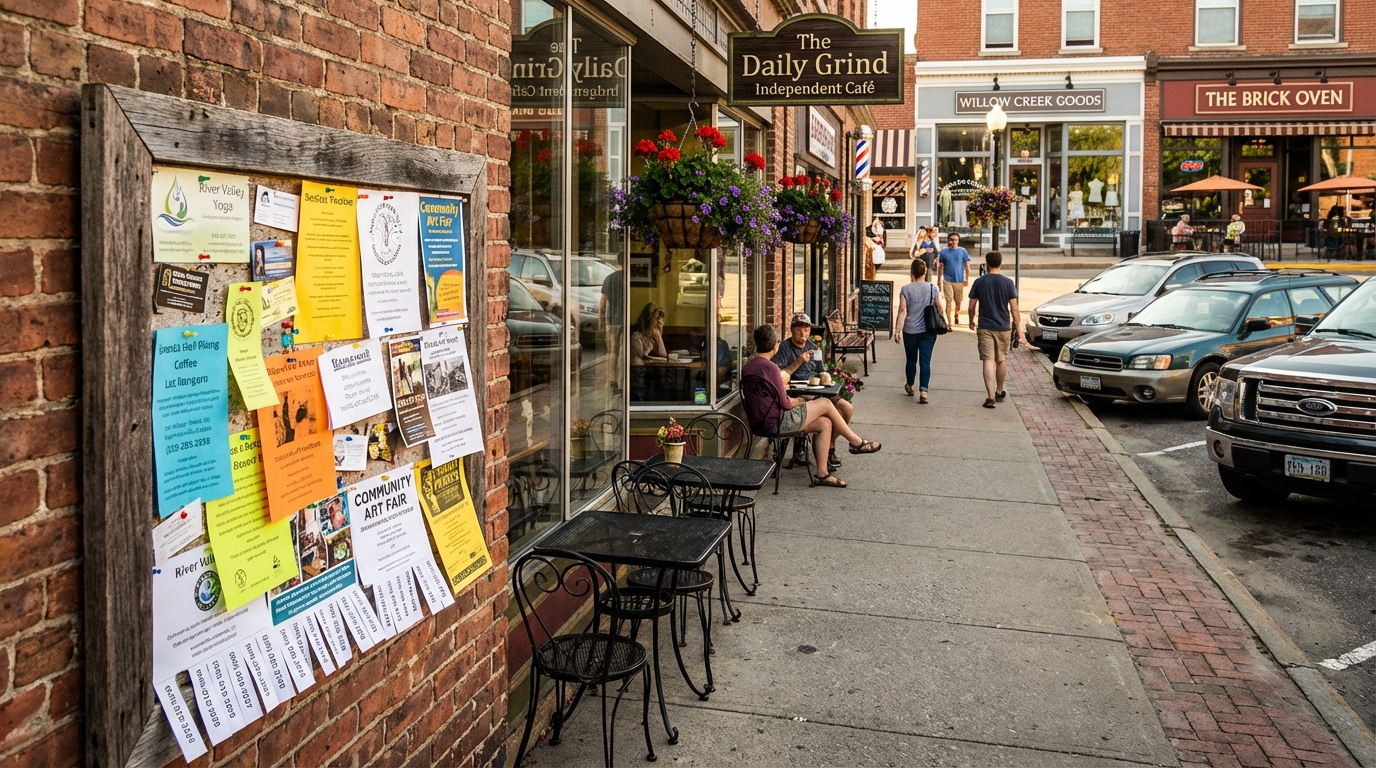
While digital boards offer impressive advantages, traditional physical bulletin boards remain a powerful—and often completely free—way to reach local customers. The key is knowing where to find them and how to create ads that stand out.
Top 15 Locations for Physical Community Boards
Physical community boards are typically found in high-traffic public spaces where your target customers already spend time:
- Public Libraries - Often have dedicated community boards near entrances
- Coffee Shops and Cafes - Especially independent shops with strong community ties
- Grocery Stores - Check entrance areas and bulletin boards near customer service
- Community Centers - Free boards specifically designed for local postings
- Laundromats - Captive audiences with time to read while waiting
- Gyms and Fitness Studios - Great for health, wellness, and lifestyle services
- Local Restaurants - Many welcome community postings, especially in waiting areas
- University Student Unions - If targeting students or campus neighborhoods
- Churches and Places of Worship - Strong community connections
- Post Offices - High foot traffic from diverse demographics
- Hair Salons and Barbershops - Extended dwell time equals higher engagement
- Pet Stores and Veterinary Clinics - Perfect for pet-related services
- Real Estate Offices - For services targeting new homeowners
- Banks and Credit Unions - Professional, community-focused environments
- Hardware Stores - Excellent for home service providers
Creating Effective Physical Board Ads for Under $5
The beauty of physical bulletin boards is that your entire investment can be under five dollars—or even free if you already have a printer. Here's how to maximize impact on a minimal budget:
DIY High-Impact Flyers (Under $1)
The simplest approach is to design and print your own flyers:
- Use bright neon paper (available at dollar stores) with black ink for instant visibility
- Create tear-off strips at the bottom with your phone number or website—10 to 15 vertical tabs make your ad interactive and give it staying power
- Include real photos of your work, product, or service rather than generic clip art—authenticity builds trust
Low-Cost Professional Printing ($1-$5)
If you want a more polished look:
- Local library printers: Black and white copies run $0.10-$0.25; color copies are typically under $1.00 per page
- Office supply stores: Print 10-15 full-color flyers at Staples or Office Depot for well under $5 with same-day pickup
- Many libraries and community centers offer free or subsidized printing for community postings
Durable Visual Enhancements
Make your ad last longer and look more professional:
- Lamination or clear packing tape: Protect your flyer from coffee spills and humidity for about $1.50 in materials
- Magnetic business cards: Attach a magnetic strip ($2-$3 at craft stores) to stick directly to metal-framed boards
- 3D paper cutouts: Use construction paper shapes (stars, hearts, arrows) to draw the eye for pennies
Social Media-Based Community Groups: Free Local Advertising
While Facebook and Instagram ads can be expensive, free community groups on social platforms offer zero-cost local reach—if you use them correctly.
Facebook Groups for Local Businesses
Nearly every town and neighborhood has active Facebook groups where residents share recommendations, ask questions, and discover local services. The key is to engage authentically rather than spam:
- Join multiple local groups: Search for "[Your Town] Community," "[Your Town] Recommendations," "[Your Town] Buy/Sell/Trade"
- Build credibility first: Answer questions, share helpful tips, and participate genuinely before promoting your business
- Share valuable content: Post before/after photos, educational tips, special community offers, or behind-the-scenes stories
- Use Facebook Marketplace: Many local Marketplace listings are free and reach buyers actively searching in your area
Nextdoor: Hyperlocal and Budget-Friendly
Nextdoor operates as a private social network for verified neighbors, making it ideal for local businesses. While Nextdoor does offer paid ads ($100-$200/month), there are free options:
- Claim your free Business Page: Establish your presence and collect recommendations
- Post free Business Posts: Share updates, events, and offers directly to neighborhood feeds
- Respond to neighbor recommendations: Engage when neighbors ask for referrals in your category
The trust and hyperlocal targeting on Nextdoor make it particularly effective for home services, local retailers, and community-focused businesses.
Comparing Your Options: Cost, Reach, and Effectiveness
To help you choose the best approach for your business, here's how different sub-$5 options stack up:
Physical Bulletin Boards
- Cost: $0-$5 (printing only)
- Reach: Hyperlocal, limited to foot traffic at each location
- Best for: Service providers, event promotion, community organizations
- Pros: Zero ongoing cost, builds local presence, tangible and trusted
- Cons: Limited reach, manual setup, ads may be removed or covered
Digital Town Boards (e.g., LocalSquare)
- Cost: $1-$12/month depending on ad size
- Reach: Entire town/ZIP code online, plus Google and AI search visibility
- Best for: Any local business wanting always-on digital presence
- Pros: Creates indexed webpage, 30-day visibility, scalable to multiple towns, editable anytime
- Cons: Requires minimal monthly payment (though still under $5 for small pins)
Free Social Media Groups
- Cost: $0
- Reach: Active group members (can range from hundreds to thousands locally)
- Best for: Engagement-focused businesses with time to participate regularly
- Pros: Completely free, high trust from recommendations, builds relationships
- Cons: Requires consistent engagement, visibility depends on algorithm, posts disappear quickly
Reddit Community Subreddits
- Cost: $0 (organic posting)
- Reach: Local subreddit subscribers (varies by city)
- Best for: Businesses with authentic stories or unique offerings
- Pros: Free, highly engaged audiences, good for discussions
- Cons: Anti-spam rules are strict, requires genuine participation
Setting Up Your First Under-$5 Ad Campaign: Step-by-Step
Let's walk through exactly how to launch your first ultra-budget local ad campaign, starting with the fastest and most effective option.
Launching a Digital Bulletin Board Ad
Using LocalSquare as an example:
- Visit your town's board: Go to yourlocalsquare.com and search for your city or enter your ZIP code
- Browse available squares: You'll see a 10x10 grid showing which spots are open
- Choose your size: Start with a single 1x1 square for $1/month, or claim a 2x2 block (four squares) for $4/month for more visibility
- Upload your visual: Use a clear, high-contrast image—your logo, a photo of your work, or a simple promotional graphic work best
- Add your details: Include your business name, a short description, and a link to your website or contact page
- Pay for your first month: Complete checkout (most platforms accept cards or digital payments)
- Set auto-renew (optional): Keep your spot active month-to-month or pay manually each time
Your ad goes live immediately and stays visible for the full 30 days. You can log back in anytime to edit your image or details.
Creating and Placing Physical Flyers
For traditional bulletin boards:
- Design your flyer using free tools like Canva or even Microsoft Word
- Keep it simple: headline, image, key benefit, contact info
- Use large, readable fonts (minimum 18pt for headlines)
- Include tear-off tabs at the bottom with your phone number repeated 10-15 times
- Print on bright paper at home or at your local library (budget: $0-$2)
- Map your posting route: Identify 10-15 high-traffic locations in your area
- Get permission: Ask staff if you can post (most locations welcome community boards)
- Refresh monthly: Check back every few weeks to replace faded or covered flyers
Maximizing Free Social Media Groups
For zero-cost social reach:
- Join 5-10 local Facebook groups relevant to your target customers
- Introduce yourself with a brief, helpful post (not a hard sales pitch)
- Engage authentically for a few weeks—answer questions, give advice, share local tips
- Share your business naturally when relevant topics come up
- Post valuable content weekly—before/after photos, how-to tips, special community offers
- Monitor and respond to comments and questions to build relationships
Making Your Visual Ads Stand Out on a Tight Budget
Whether you're posting to a digital board or a physical cork board, your visual design determines whether people notice and act. Here's how to create eye-catching ads without hiring a designer:
Design Principles for Small-Budget Ads
High Contrast is Your Friend
- Use bold, contrasting colors (black on yellow, white on navy, red on white)
- Avoid subtle pastels or low-contrast combinations that fade into the background
One Clear Message
- Focus on a single benefit or offer: "Same-Day Plumbing Repairs" or "Free First Yoga Class"
- Avoid cluttering with multiple messages—you have seconds to capture attention
Real Photos Beat Stock Images
- Use photos of your actual work, products, or happy customers
- Smartphone photos work fine—authenticity matters more than professional lighting
Large, Readable Text
- Keep headlines to 5-7 words maximum
- Use sans-serif fonts (Arial, Helvetica) for better readability at a glance
Clear Call-to-Action
- Tell viewers exactly what to do next: "Call Now," "Visit Us Today," "Scan to Book"
- Include one primary contact method (phone number or QR code)
Free Design Tools for Non-Designers
You don't need expensive software to create professional-looking ads:
- Canva: Free templates specifically for flyers, social posts, and small ads
- Google Slides: Simple drag-and-drop interface with built-in templates
- Microsoft Word: Basic but effective for text-heavy flyers with photos
- Pixlr: Free photo editor for quick touch-ups and filters
Measuring Results: Are Your Under-$5 Ads Working?
Even with ultra-low-cost advertising, you need to know what's working. Here's how to track results without expensive analytics tools:
Simple Tracking Methods
Unique Phone Numbers or Extensions
- Use a Google Voice number or extension specifically for each campaign
- Track calls by source to know which boards drive the most inquiries
Promo Codes
- Offer a different code for each advertising location ("COFFEE10" for coffee shop boards, "LIBRARY15" for library postings)
- Track redemptions to measure effectiveness by location
QR Codes
- Create unique QR codes (free via QR Code Generator or Bitly) for each placement
- Monitor scans to see which locations get the most engagement
Ask Customers
- Simply ask "How did you hear about us?" when new customers contact you
- Keep a tally to identify your most effective channels
What Success Looks Like
For under-$5 monthly advertising, realistic success metrics include:
- 2-5 new inquiries per month from a single digital board pin
- 1-3 calls or visits from each physical location where you've posted flyers
- 5-10 profile views or clicks from social media group posts
- 1-2 jobs or sales that directly pay for months of future advertising
Remember: at $1-$5 per month, you only need one or two customers to generate significant ROI. Even small results represent massive returns on investment.
Advanced Strategies: Multiplying Your Impact
Once you've mastered basic under-$5 advertising, these strategies can amplify your results without dramatically increasing costs:
Multi-Location Saturation
- Post to 5-10 physical boards across your service area for just $5-$10 in printing costs
- Claim squares on digital boards in adjacent towns or ZIP codes you serve
- Combine physical and digital for omnichannel presence on a tiny budget
Seasonal Rotation
- Update your message monthly to reflect seasons, holidays, or timely offers
- Digital boards make this easy with instant edit capabilities
- Physical boards require reprinting but keep your message fresh
Partner Cross-Promotion
- Partner with complementary local businesses to share costs
- Split a 2x2 digital board square ($4) between two businesses for $2 each
- Co-promote on each other's physical board postings
Content Series Approach
- Create a monthly series on social media groups (e.g., "Tip Tuesday" or "Before & After Friday")
- Build anticipation and regular engagement without constant self-promotion
- Position yourself as a helpful resource, not just an advertiser
Common Mistakes to Avoid with Budget Advertising
Even with minimal investment, it's easy to waste money and effort. Watch out for these pitfalls:
Mistake #1: Unclear or Cluttered Visuals Too much text, multiple messages, or low-contrast designs get ignored. Keep it simple and bold.
Mistake #2: No Call-to-Action Don't assume people will know what to do next. Explicitly tell them to call, visit, or scan.
Mistake #3: Posting and Forgetting Physical flyers get covered or removed. Check and refresh your postings every 2-3 weeks.
Mistake #4: Spamming Social Groups Constant self-promotion gets you banned. Engage authentically and share value first.
Mistake #5: Not Testing Multiple Locations Different spots reach different audiences. Try 5-10 locations and double down on what works.
Mistake #6: Ignoring Mobile Optimization Most people will see your digital ads on phones. Make sure text is readable on small screens.
FAQs: Everything Else You Need to Know
Can I really advertise for under $5 a month and see results?
Yes, but set realistic expectations. You won't compete with businesses spending thousands on ads, but you can absolutely generate valuable local leads. One or two customers per month easily justify a $1-$5 investment, especially for service-based businesses with high customer lifetime value.
What types of businesses benefit most from ultra-budget advertising?
Local service providers (plumbers, electricians, cleaners), independent professionals (tutors, personal trainers, photographers), community organizations, local retailers, food businesses (cafes, food trucks), and anyone targeting a specific geographic area.
How long does it take to see results?
Physical bulletin boards can generate calls within days. Digital boards typically see traffic within the first week as they get indexed by search engines. Social media engagement builds over weeks as you establish credibility.
Do I need technical skills to create ads?
Not at all. Free tools like Canva offer templates that require zero design experience. For digital boards, you simply upload a photo or image—no coding or technical knowledge required.
Can I advertise multiple locations on digital boards?
Yes. Platforms like LocalSquare specifically support multi-town posting, allowing you to claim squares in every town or ZIP code you serve. This is particularly valuable for mobile services, contractors, or real estate professionals working across multiple communities.
What if my town doesn't have a digital community board yet?
Most platforms allow you to request that your town be added. In the meantime, focus on physical boards and free social media groups. You can also check neighboring towns that might serve overlapping customers.
Conclusion: Your Path to Affordable Local Visibility
Finding a town community board that lets you run visual ads for under five bucks a month isn't just possible—it's one of the smartest moves a budget-conscious local business can make. Whether you choose digital boards, physical community postings, or free social media groups, the key is to start small, test multiple channels, and double down on what works for your specific business and community.
The advertising landscape has traditionally favored businesses with big budgets, but hyper-local, visual-first platforms are changing that equation. For the cost of a single coffee, you can maintain always-on visibility in your town for an entire month. For the price of a few prints, you can saturate your service area with physical postings that reach customers at the exact moment they're thinking about local services.
The most important step is to simply begin. Choose one strategy from this guide—whether it's claiming your first square on a digital board or posting five flyers around town—and commit to testing it for 30 days. Track your results, refine your approach, and gradually expand your presence across multiple channels.
Local visibility doesn't require a corporate budget. It requires consistency, creativity, and a willingness to meet your neighbors where they already are—on the digital and physical bulletin boards of your community.